TrueDynamic
Dynamic shooting, simulated. Built on the TrueClays engine.
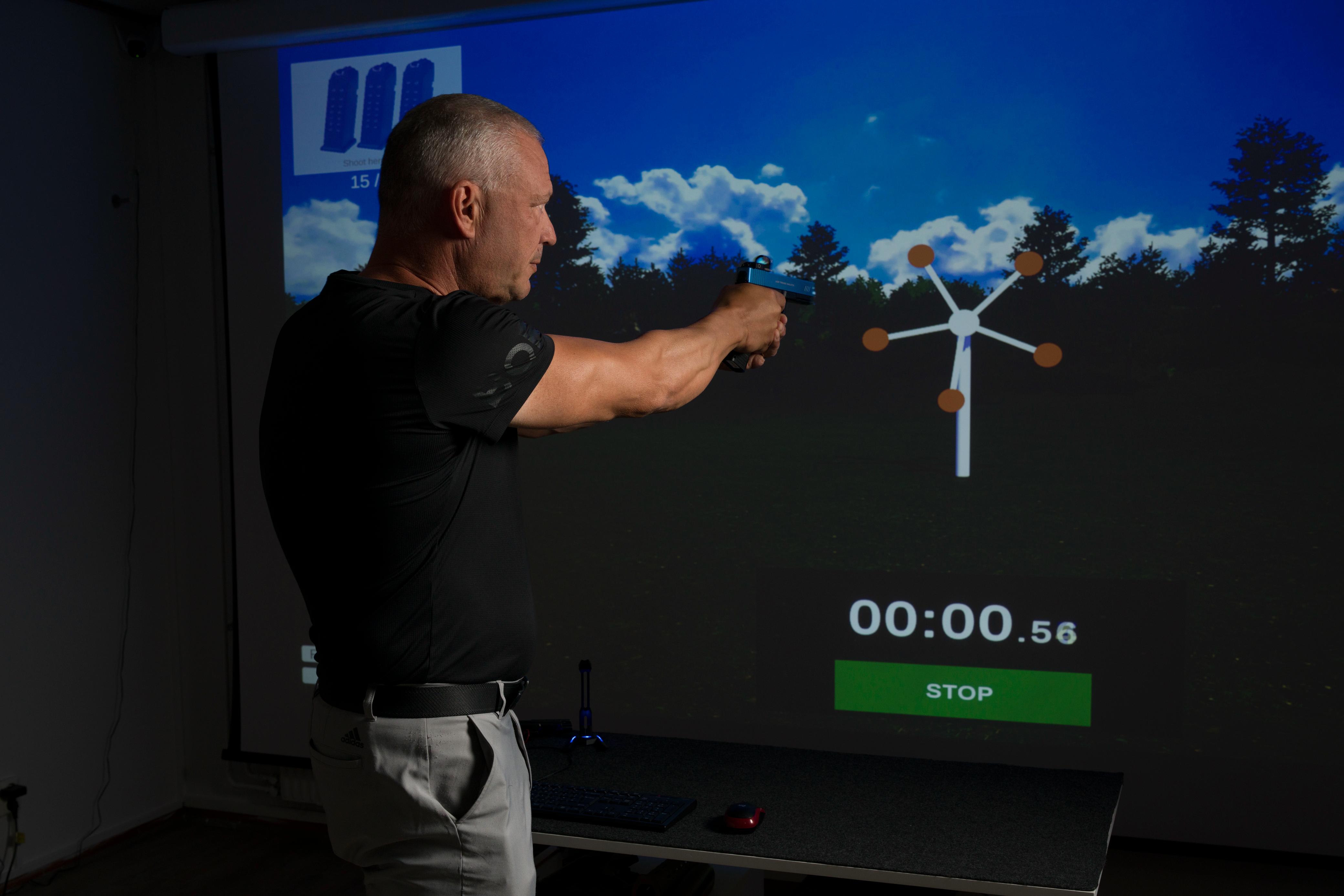
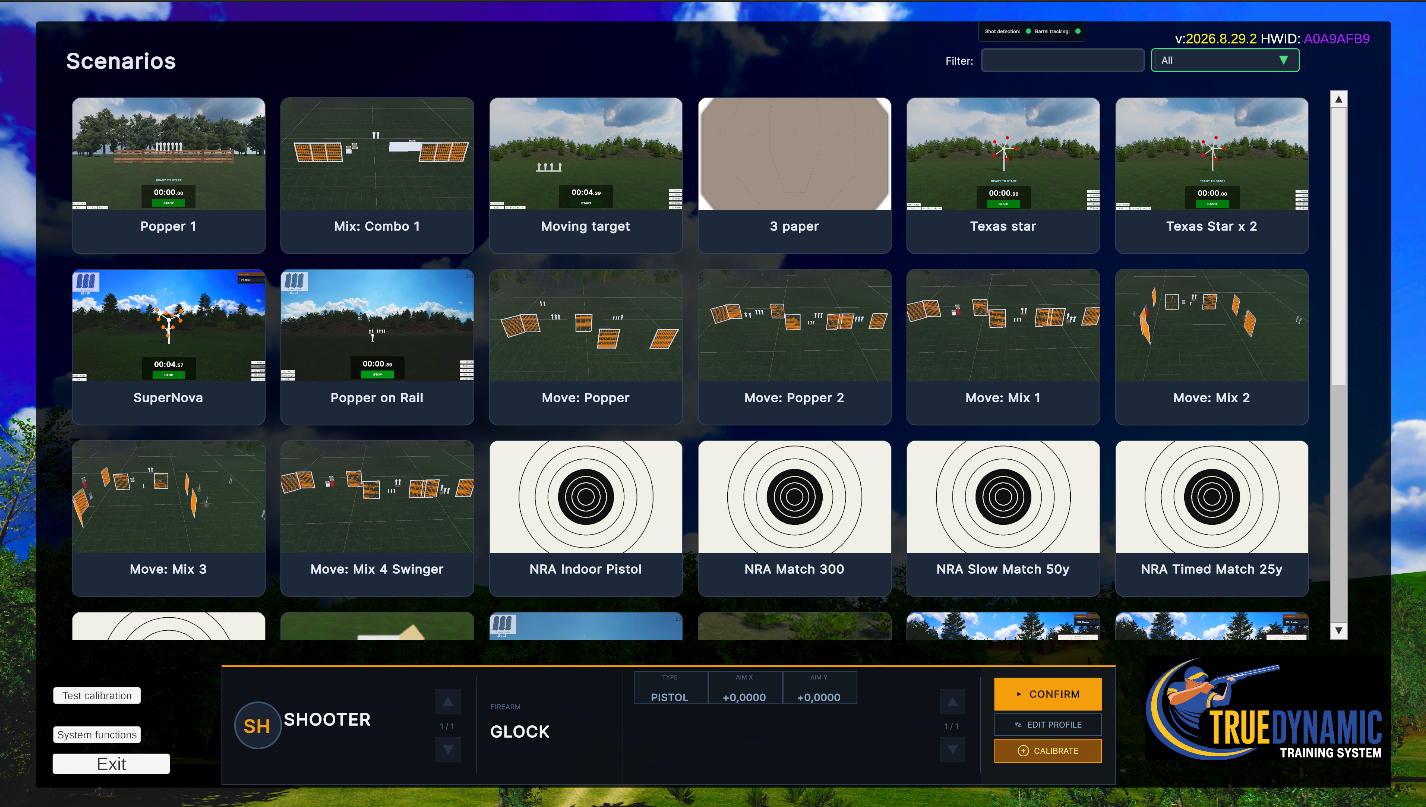
Over 20 scenarios at launch — and the library keeps growing.
Train the Draw, the Move, the Decision
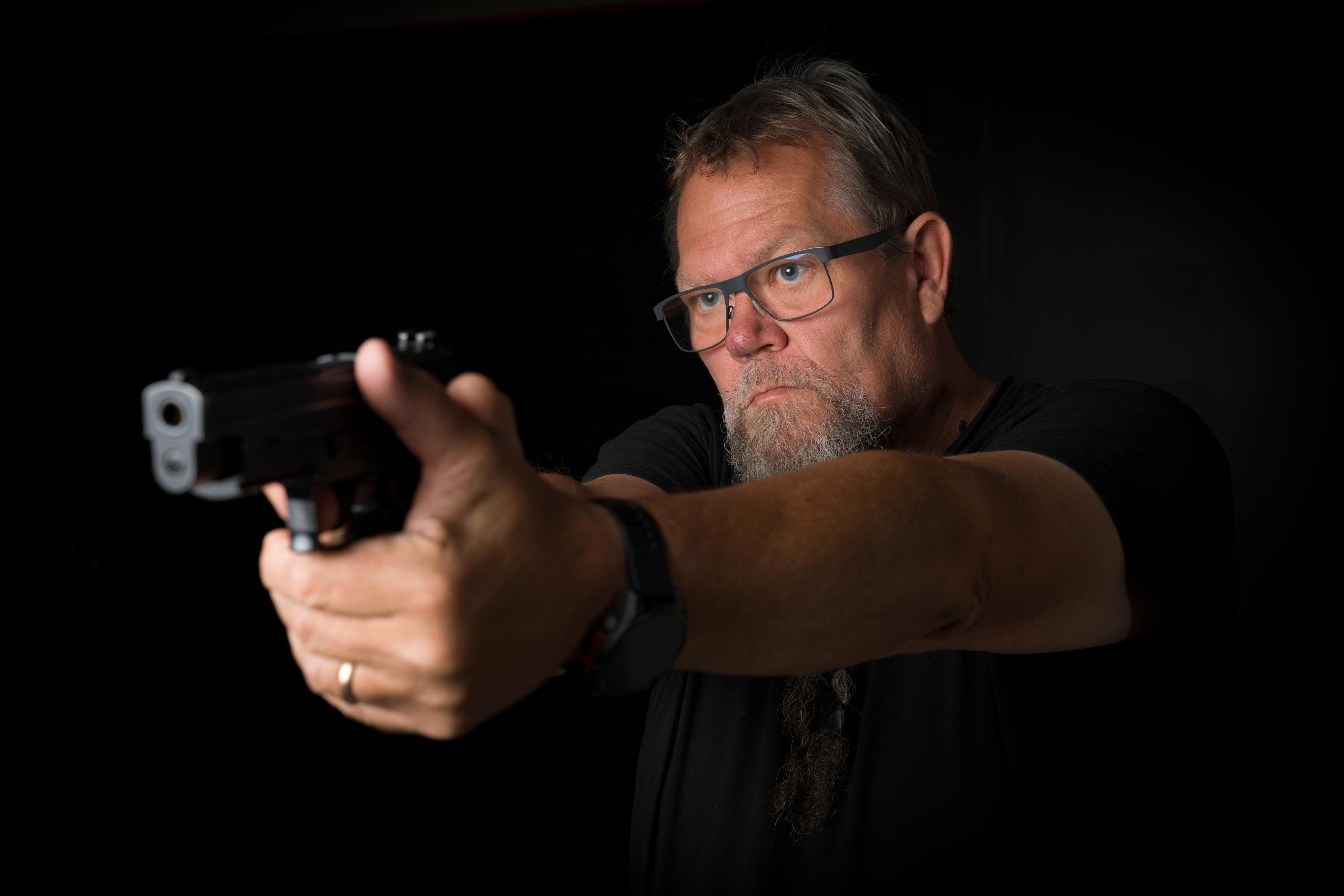
TrueDynamic brings practical and dynamic shooting indoors. Steel that falls, paper that turns and disappears, no-shoots you have to read in a fraction of a second — all running on live ballistics rather than scripted hit boxes.
And when you want to slow everything down, the same system runs full NRA and ISSF precision pistol matches, scored to the rulebook.
Every shot is a real projectile. Muzzle velocity, ballistic coefficient and bullet weight are taken from your chosen ammunition and flown through a full drag model — so distance, drop and time of flight behave the way they do on a live range.
Miss high at 40 metres in TrueDynamic, and you would have missed high at 40 metres outdoors.
Design it, walk it, print it
Build Your Own Stages
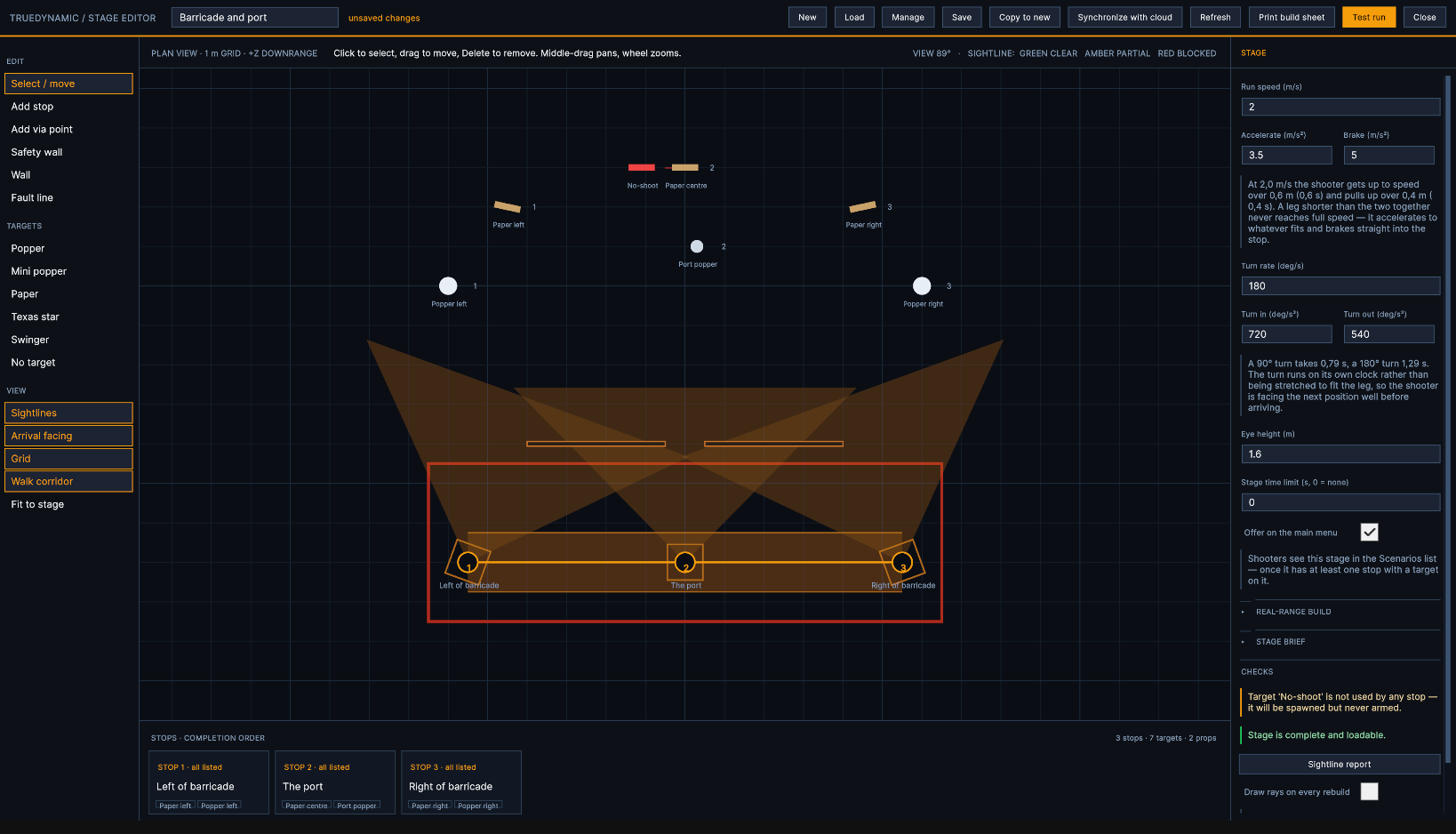
The scenario library is a starting point, not a limit. TrueDynamic includes a full stage editor inside the system itself — no separate application, no modelling software, nothing to install. Draw a course on a plan view, watch it appear in 3D beside you, shoot it, and print the sheet a club needs to build the same course on real ground.
It is the same builder we use to make the stages that ship with the product. Nothing is held back.
Shooting positions
Place each position and the facing the shooter arrives on. Give it a shooting box, and say what must happen before the shooter may leave it — every listed target down, a set number of hits, or a par time.
The route
Positions are joined by a walk route, with via points where the course has to bend round a wall. Per position: the approach speed, and which way the shooter turns out of it — left, right, or the short way.
Targets and props
Paper, poppers, mini poppers, swingers, a Texas Star, no-shoots — dragged off the rail straight onto the plan. Walls, barricades and scenery size to the metre and decide what can be seen from where.
Fault lines
Click the corners and boards are laid between them, snapped to 45° and half-metres — hold Shift for any angle on a 5 cm grid. Or generate an outline round the whole course and drag it into shape.
It is running while you build it
Plan view on one side, the stage itself on the other. Move a wall and it moves in the world; drop a target and it is standing there. There is no build step and no preview to wait for.
Every sightline is checked for you. The editor works out how much of each target a position can actually see, and says so — a popper hidden behind the wall you just placed is reported while you are still placing it, rather than discovered by a shooter halfway through a stage.
Test it without leaving. One button runs the stage for real, with the timer, the range commands and the scoring. Escape puts you back in the builder, exactly where you were.
The shooter walks it properly
Movement
- Acceleration, braking and turn rates are numbers on the stage, not a fixed animation. The walk between two positions takes as long as it should.
- The head comes round gradually and arrives on the facing as the feet do, so what you are about to shoot is in the frame on the way in.
- Turn direction is yours to set. A position that must be left turning right is left turning right, even when the other way round is shorter.
Shoot ahead and keep moving
Free engagement
- Targets are live for the whole stage. Take position four's steel from position two and the shooter does not stop at four — the course carries on at speed.
- Clear a position while walking into it and the approach is given up there and then, carrying its speed into the next leg. No braking to nothing and setting off again.
- Which is the point of a stage plan: the fast way round is a decision the shooter makes, and the course rewards it.
From the screen to the range
A stage designed here is not trapped here. Every stage prints a build sheet — one self-contained page carrying the plan drawing, a photograph of the finished stage, and the numbers a crew needs to lay it out on real ground.
Everything is measured from a single datum peg at the first position: target ranges and offsets, fault-line boards corner by corner, wall positions and angles, and a build order that says what to set first and what to check before fixing it down. Hand it to a club and they can build your stage in the morning and shoot it in the afternoon.
Start from a classic, keep it, share it
Templates. El Presidente, a barricade port, a plate sweep, a swinger and star, a field course. Open one, change what you want, save it as your own.
Stages are files. Save, duplicate, delete, and sync them between your systems through the cloud — a stage built on one machine can be shot on another.
Scores stay honest. Move a wall or change a facing and it is not the same course any more. TrueDynamic notices, gives the stage a new revision, and asks whether the old scoreboard should go with it — so a hit factor is never compared against a course nobody can shoot any more.
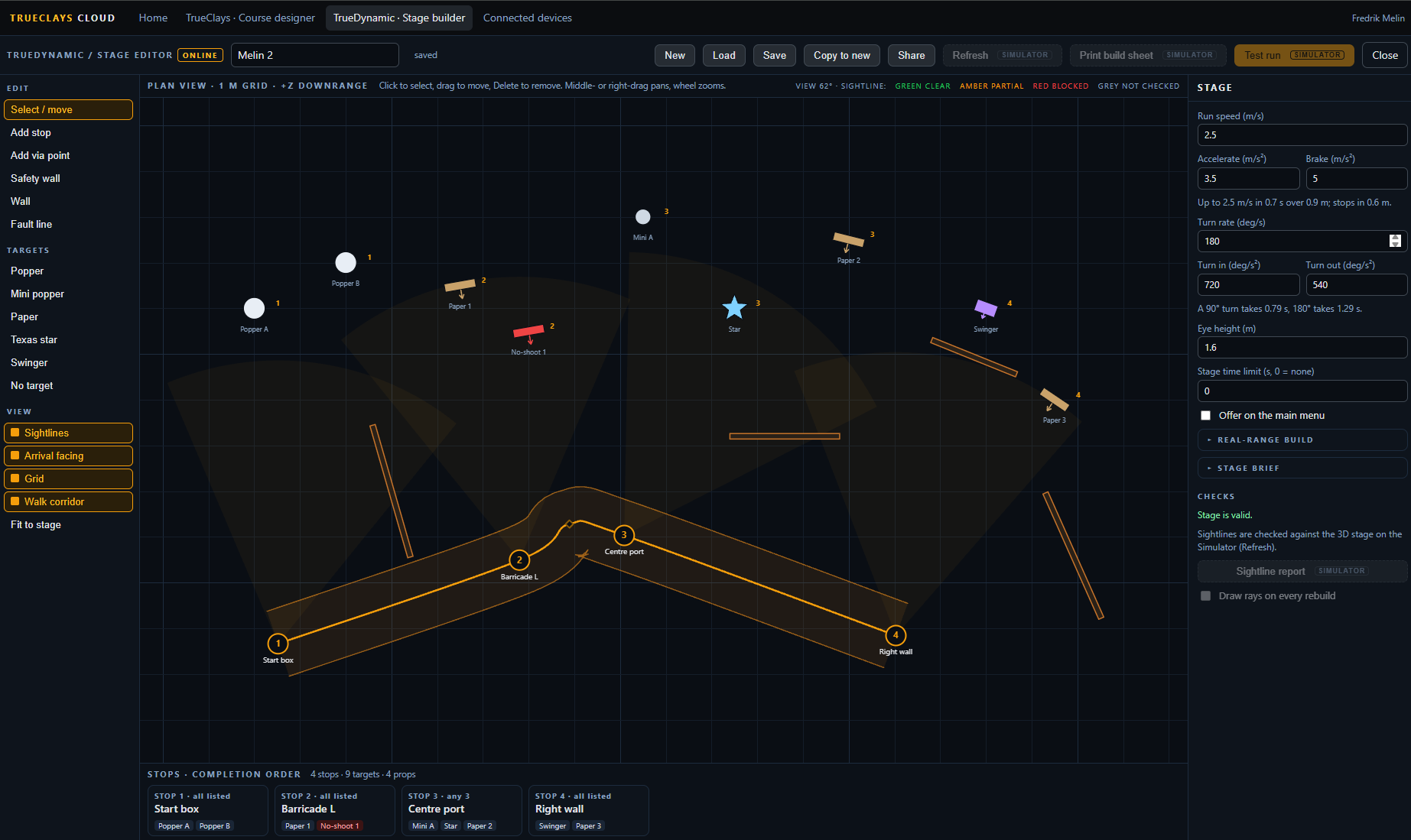
Design at home, shoot at the range
The Stage Builder Is Online Too
The builder is not tied to the machine in the bay. Log in to cloud.trueclays.com from any browser and the same editor is there — the plan view, the target rail, walls, fault lines, the stage brief and the checks. Design a match on the sofa on Thursday and shoot it on Saturday.
It is the same stage file at both ends. Nothing is exported, converted or flattened on the way.
Your library, everywhere
Stages live in your account as well as on the Simulator. Open one on a laptop, keep building, and it is waiting on the range the next time you synchronise.
Templates and versions travel
The same templates to start from, the same version stamp on every stage. Change what the shooter has to do and the version moves online exactly as it does on the Simulator.
What needs the range stays on the range
Sightline checks, the test run, "view this stop" and the printed build sheet all need the 3D stage. Online they are shown but greyed out, so you know what is waiting for you in the bay.
One button keeps them in step
Synchronize with cloud, in the builder on the Simulator. A stage that exists in only one place is copied across without a question. A stage that exists in both, and differs, is never overwritten silently: you are shown both copies with the time each was saved and asked which to keep — or to keep both.
Nothing is ever deleted by a synchronisation, in either direction, and it only ever runs when somebody presses the button. Connecting a Simulator takes one approval, once:
- Press Synchronize with cloud and type the email you log in with.
- A code such as GHOST-7742 appears on the Simulator, and a banner appears on the website.
- Check the codes match, press Approve, and that Simulator stays connected until you disconnect it.
Send a stage to anyone, with a code
A match director builds the stage; every club shooting it gets a code. Press Share on a stage online and you get something like STAGE-7K4QM-2XD9P — short enough to read out over the phone.
On their Simulator: Synchronize with cloud → Get with code. The stage arrives and opens, ready to run. That Simulator does not have to be connected to any account, so a customer can walk into a public range with a code and shoot their own stage on someone else's machine.
A code carries that one stage, exactly as it was when the code was made — nothing else in your library, and no way back into the Simulator that used it. Codes last a day, a week or a month, can be single-use, and can be revoked the moment you change your mind.
See what the gun did, not just where the shot went
The Barrel Tracker: Every Stage, Played Back
A hole in the paper tells you where the shot went. It does not tell you why. Fit the TrueClays barrel tracker to the gun and TrueDynamic records where the muzzle was pointing 260 times a second, for the whole stage — the draw, every transition, every shot and what the gun did after it.
When the stage is over, press Replay and watch it again: your own run, on the stage you just shot, with the path of the barrel drawn over it.
The real samples
What you see is what the tracker measured. Nothing is smoothed, filled in or guessed between samples — a twitch that lasted ten milliseconds is in the replay, because it was in the gun.
Right through the run
The view walks the stage exactly as you did, and the trace stays on the targets while it moves. Shoot on the move, turn into the next position — the path is still where the gun was pointing in the world.
Lined up on your hits
Every shot is a known point: the system knows exactly where the round landed. The tracker is re-aligned on every shot, so the trace finishes on the hole — whatever the mount did between stages.
Step through it a millisecond at a time
Play the stage at full speed or slow it down to a tenth. Step one tracker sample at a time, or jump straight from shot to shot. A timeline marks the beep, every position and every shot, so the moment you want is one click away.
Under the replay, each shot gets its own numbers — measured from the trace, in milliradians (one milliradian is one centimetre at ten metres):
Time from the shot before, and from the beep — the same figures as the stage summary.
Was the gun still when the shot broke, or still swinging onto the target?
How steady the sights were in the quarter-second before the shot.
Where the muzzle went just before the break, and which way — the push and the flinch.
How long the gun was on its aiming point before you pressed.
How long it stayed there after the shot, before you moved on.
How far the transition carried past the next target before it came back.
From the beep to the gun on the screen and settled.
A swinging gun is judged as a swinging gun: braking onto a plate is not counted as a flinch, only a move across the swing is. One button saves a picture of every shot — trace, hit and numbers — to keep, compare or send to a coach.
A start you cannot cheat
Per stage, in the builder
- Tick Gun off screen at the beep on a stage, on the Simulator or online, and the start position is enforced.
- From "Are you ready?" to the beep the tracker must not see the gun on the screen. If it does, the start is cancelled and the shooter is told to lower the muzzle.
- Low ready, holstered — whatever the stage brief says, it is checked the same way every time.
A beep you cannot see coming
Timing
- The start signal is placed on the sound card's own clock, so it is exactly as unpredictable as the random delay says — no jitter added on top.
- The clock starts on the beep's first sample, not when the software asked for it.
- Nothing on the screen changes at the beep. The display settles at "stand by", so the only thing to react to is the sound.
Optional, and nothing changes without it
The barrel tracker is an optional extra. Without it every stage still runs, scores and records your shots, hits, splits and times — the replay simply shows the stage and the hits without the barrel's path. Fit the tracker and the trace, the shot analysis and the start-position check come on by themselves.
The Power of the Engine: Real Ballistics, Real Loadouts
TrueDynamic runs on the same TrueClays Engine that powers our clay and hunting simulators. Nothing about your hit is approximated — the round is calculated from the moment it leaves the muzzle.
Your Ammunition
Muzzle velocity, ballistic coefficient and bullet weight per load, flown through a true drag model.
Your Firearm
Build a loadout per gun with its own zero. Switching your default gun switches the whole setup.
Your Profile
Handedness, division and competition details follow you, on the machine and in the cloud.
Stages That Never Repeat
- ✔ Randomised layouts: target and no-shoot counts change between runs.
- ✔ Random start delay: no anticipating the beep.
- ✔ Adjustable exposure: set how long a target stays presented.
- ✔ Multiple positions: engage the same stage from different angles.
Scoring You Can Argue About
- ★ Zone scoring: every hit is placed and valued on the silhouette.
- ★ No-shoot penalties: hitting the wrong target costs you.
- ★ Time and hit factor: speed only counts when the points are there.
- ★ Stage summary: full breakdown the moment the stage ends.
A Range Full of Targets
More than twenty scenarios ship at launch, built from a toolbox of target types that behave like their steel and cardboard counterparts.
Turning Targets
Paper faces that present, hold and hide on command — engage them before they are gone.
Poppers
Steel that falls when hit, and stays down until the stage is reset.
Plate Racks
Clear the rack once, or twice, before the clock stops.
Swingers
Activated steel that keeps moving while you shoot it.
Spinners & SuperNova
Weighted steel that has to be driven all the way over. Our SuperNova spinner is the hardest target on the range — and it does not care how fast you got there.
Movers
Targets travelling along a path, at the height and speed of the real thing.
Peek Targets
A head appearing beside a no-shoot panel. Read it fast, or hold your fire.
Vehicle Scenario
A moving vehicle that slows only when the right target is taken.
No-Shoots
Randomly placed, clearly marked, unforgiving.
Precision Targets
Official NRA and ISSF faces, scored on the real ring tables. See below.
On the range, in the room
The Range Officer Comes With It
TrueDynamic runs a stage the way a real range officer does. Ready call, standby, a start signal you cannot predict — then the timer, the hits and the stop command.
The precision disciplines get their own scripts. NRA bullseye runs the spoken sequence through to "ready on the firing line"; ISSF runs LOAD and ATTENTION, then starts you the way a real range does — with the target turning to face, and no beep at all.
New for launch
Olympic and Bullseye Precision Pistol
The same room that runs a practical stage runs a full precision match. Official target faces, official ring tables, official courses of fire — and the range commands and timing that go with them.
Scoring is analytic, not a picture. Every shot is measured as a radius from the centre of the bull on the real printed dimensions, so a marginal ten is decided the way an electronic target decides it — not by how the artwork happened to be drawn.
NRA Precision Pistol
Indoor 50 ft & outdoor
- National Match Course — 10 slow, 10 timed, 10 rapid. 300 points.
- Slow, Timed and Rapid Fire matches — the three 200-point matches of the 900 aggregate, fired individually.
- B-2 and B-3 indoors at 50 feet; B-6 at 50 yards and B-8 at 25 yards outdoors, with the target moving between stages.
- Line-cutter scoring and X-count tie-breaks, as the rulebook has it.
ISSF Pistol
Olympic disciplines
- 10 m Air Pistol — 60 shots, preparation and sighting, then match firing at your own pace.
- 50 m Pistol and 25 m Standard Pistol — 150, 20 and 10 second series.
- 25 m Rapid Fire — five turning targets at 75 cm centres, one shot at each, in 8, 6 and 4 seconds.
- Whole rings or decimals — qualification and final scoring, with inner-ten tie-breaks.
Precision Mode
A ten-metre air pistol ten ring is 11.5 millimetres across. On a projected image that is a very small mark, and seeing it properly is most of the discipline.
Precision Mode addresses that directly: the system runs at higher resolution and the shooter stands further back from the screen, with the field of view recalculated to match. The target's apparent size is unchanged — a ten ring subtends exactly what it subtends on a real range, so the difficulty and the scores stay honest — but it is drawn with roughly four times the detail. Aiming marks that were a smudge become a clean, sharp black.
Scores from Precision Mode are directly comparable with scores shot at the normal distance. Nothing is made easier; it is simply rendered better.
Two display modes, one projector. Dynamic shooting and precision shooting ask opposite things of a display, so TrueDynamic does not compromise between them — it switches.
Dynamic stages
1080p at 240 Hz
- Falling steel, swingers, spinners and movers are all questions of timing.
- At 240 frames a second a moving target is redrawn every four milliseconds — what you see is where it is.
- Nothing on a practical stage is small enough to need more pixels than this.
Precision matches
4K at 60 Hz
- A precision target does not move, so frame rate buys you nothing.
- The same hardware budget goes into resolution instead: four times the pixels on the face of the target.
- Ring edges and aiming marks resolve as clean lines rather than soft steps.
The two modes cost the system almost exactly the same: both push around half a billion pixels every second. Only the distribution changes — spread thinly over many fast frames for dynamic work, concentrated into fewer, far sharper ones for precision. This is also why moving targets are never offered in 4K: at 60 Hz a swinger would visibly step between frames, and a stepping target is a worse target than a slightly softer one.
The switch is automatic. Every scenario in the library carries its own display mode. Select an NRA or ISSF match and the system changes the projector for you; go back to a practical stage and it changes back. There is nothing to configure and no separate launcher.
Expect the projector to drop signal for a second or two while it re-synchronises to the new mode — a brief black screen between selecting the scenario and the range going live. That is the display re-locking, not the system loading.
What does not change is the score. Hits are computed from the ballistic solution and measured as a radius against the target's real printed dimensions, not read off the rendered image. Resolution changes what the shooter can see; it never changes what the shot is worth. A ten at 1080p is a ten at 4K.
Precision Mode changes where you stand, so your firearm must be calibrated at the precision-mode distance. A zero set at the standard position is not valid once you move back — recalibrate first, and the system will keep that zero with your loadout.
Available upon request
Law Enforcement & Professional Training Scenarios
A separate suite of force-on-NPC scenarios is available to law enforcement agencies, military units and certified training facilities. These go beyond target shooting — officers engage in fully simulated public environments with civilian crowds, armed suspects, and split-second use-of-force decisions.
Contact TrueClays to discuss eligibility, licensing and deployment for your organisation.
How a Stage Runs
From the first call to the last, the sequence is the one you already know.
- 1. "Are you ready?"
- 2. "Stand by" — then a start signal at an unpredictable moment.
- 3. Engage. Targets present, fall and move.
- 4. "Stop." — "If you are finished, unload and show clear."
- 5. Stage summary: hits, zones, penalties, time.
Precision matches run their own NRA or ISSF sequence instead.
Releasing Fall 2026
TrueDynamic is coming to TrueClays systems in autumn 2026, with over twenty scenarios at launch plus the NRA and ISSF precision disciplines. Get in touch to hear about availability, hardware requirements and early access for ranges and clubs.
Contact TrueClays for Information